A friend with personality.
Drag, resize and choose your companion. Idle, walking, click reactions and expressive animations give each character its own little habits.
MEET YOUR DESKTOP SIDEKICK
Little routines and a character who makes your desktop feel like yours, on Windows and Mac. Premium companions add BYOK AI Chat and learning modes.
SMALL FRIEND. EVERYDAY SUPERPOWERS.
Made for Windows and Mac.
Built around your day.
Drag, resize and choose your companion. Idle, walking, click reactions and expressive animations give each character its own little habits.
Set a countdown, save a reusable sprint, finish early, and see your completed sessions. Celebrate the small wins as they add up.
Pin a daily goal above your companion. Choose fonts, colours, emoji and bubble styles, with readable scrolling for longer thoughts.
Set one-time, daily or repeating reminders. Take gentle breaks on your schedule, and snooze or dismiss a nudge when you need to.
Enjoy music dance animations, menu gaze and playful reactions to chat and progress. Each character’s animation set makes it unique.
Choose optional battery, storage, audio and activity cues. Turn categories off or use Quiet mode when you want fewer interruptions.
Character reactions and dance depend on the animations included in your chosen pack. Some desktop and media features need OS permissions or supported apps. Reminders work while the companion is running and do not wake a sleeping computer.
A LITTLE ENCOURAGEMENT GOES A LONG WAY
One chapter. One sketch. One small step. Keep your intention close, give it some time, and let your companion cheer you on.
See everything they can do ↗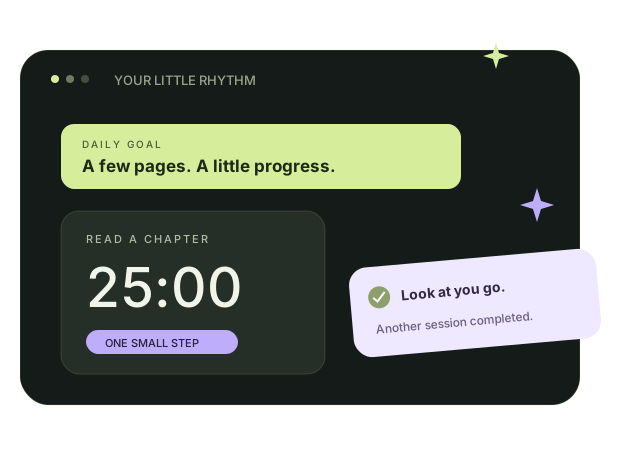
PREMIUM AI CHAT · BRING YOUR OWN KEY
Turn a passing thought into a conversation. Learn a new word, work through your notes, or just catch up with a character who has a personality of their own.
Choose a premium companion and connect your own Gemini API key in the desktop app. Choose how you chat, make the room your own, and pick up a saved conversation whenever you like.
BYOK means Bring Your Own Key. Internet and a Gemini API key are required for AI replies.
Example: a cursor opens Vijay’s chat. Vijay says, “Hi Nanba! Enna plan innikku?” The user asks for help focusing for 25 minutes. Vijay responds, “Namma start pannalaam, Nanba! Pick one task, set 25 minutes, and put the phone aside. Small step, big win!”
Move your companion, adjust its size and sound, pin a goal, or let it perch on supported window edges. Control alert categories and Quiet mode in Character settings.
Meet the companions ↗